Keeping electronic devices powered during road trips has become just as essential as fueling up the RV itself. Whether I’m navigating with GPS, streaming music, or charging my phone after a day of exploring, having enough USB charging ports in my RV makes a world of difference. Adding these ports isn’t just about convenience; it’s about making the space functional and future-ready. The best part is that it’s not a complicated or expensive upgrade, you can easily do it yourself with a few tools, some basic wiring knowledge, and a little patience.
Why Add USB Charging Ports to Your RV
Before diving into the how-to, it helps to understand why this small modification can have such a big impact. RVs often come with limited or outdated power options. Standard outlets are useful, but they aren’t always ideal for charging phones, tablets, cameras, or other USB-powered devices efficiently. Having USB charging ports throughout the RV eliminates the need for bulky adapters and allows everyone to keep their devices charged simultaneously.
More importantly, strategically placed ports can prevent the frustration of cords stretching across countertops, tables, or the bed. Whether I’m sitting in the dinette working on my laptop, relaxing on the couch, or lying in bed watching a show, having a nearby charging port just makes life easier.
Planning the USB Charging Layout
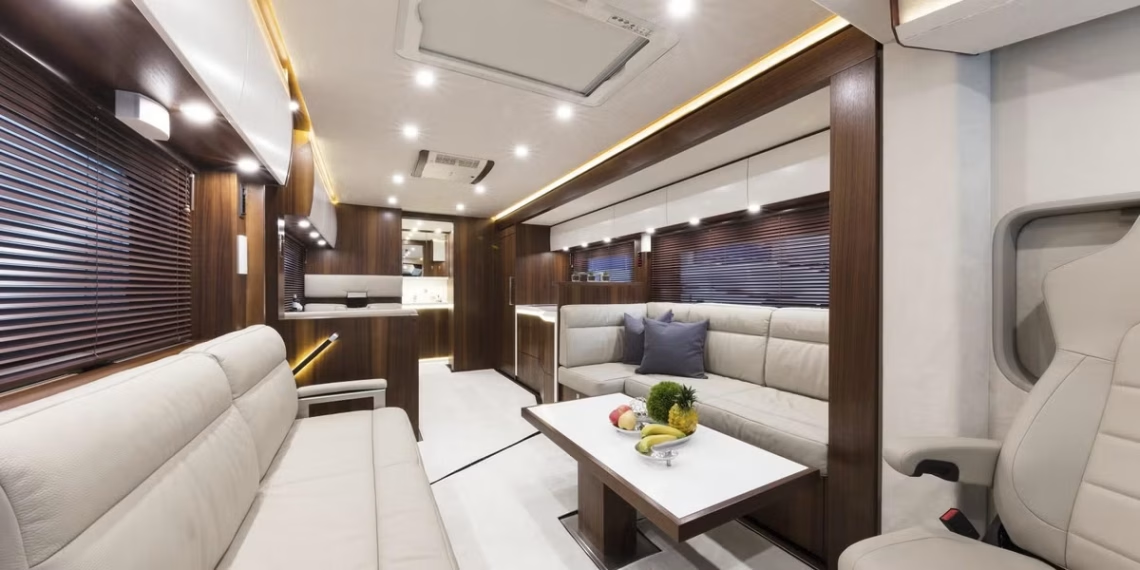
The first step is to plan where the USB ports will be most beneficial. I like to start by identifying high-use areas: the kitchen or dining space, the main sleeping area, the driver’s console, and sometimes even the bathroom or outdoor kitchen if your rig has one.
Each location serves a purpose. Near the bed, ports are ideal for charging phones overnight. In the living or dining area, they’re useful for tablets, Bluetooth speakers, or other gadgets. At the driver’s seat, a port can power navigation devices or dash cameras. Think about where you naturally sit or relax in the RV and where you find yourself wishing you had an extra outlet.
Mapping this out in advance also helps determine how much wiring you’ll need and whether you can connect multiple ports to the same power source.
Selecting the Right Type of USB Ports
Not all USB charging ports are created equal. You’ll find a range of options with different designs and power capacities. The most common types are:
- Standalone USB sockets: These are mounted directly into walls or panels and connect to your RV’s 12V system.
- Combination outlets: These include both traditional AC outlets and USB ports, giving you more flexibility.
- High-speed or smart charging ports: These automatically detect device requirements and provide faster charging without overloading the circuit.
I prefer using dual USB sockets with smart charging capability. They work efficiently and don’t take up much wall space. When buying, look for ports rated for at least 2.1 amps per outlet to ensure adequate charging speed for modern devices.
Checking Power Compatibility
Before installing any new electrical component, always confirm compatibility with your RV’s electrical system. Most USB ports run on 12 volts DC, which is standard for RVs. However, the amperage draw will vary depending on how many devices you plan to charge at once.
If your RV already has a 12V accessory outlet or cigarette lighter socket, you can often tap into that wiring to add new ports. Just be mindful not to overload the circuit. Using a multimeter to check voltage and continuity helps ensure everything is safe and functional before making permanent connections.
Gathering the Right Tools and Materials
A well-prepared setup makes installation much smoother. Here’s what I usually gather before starting:
- Dual USB charging sockets
- 12-gauge or 14-gauge wire (depending on distance and amperage)
- In-line fuse holder and fuses (usually 5A or 10A)
- Crimp connectors or soldering tools
- Wire stripper and cutter
- Electrical tape or heat-shrink tubing
- Drill with hole saw bit (size depends on the USB socket diameter)
- Screwdriver and mounting screws
Having everything ready beforehand prevents unnecessary interruptions mid-project.
Locating a Power Source
Finding a suitable power source is crucial. The easiest way is to connect to an existing 12V line, like one powering lights or fans. Alternatively, you can wire directly to your RV’s fuse panel for a dedicated circuit.
If you’re unsure which wire is positive or negative, use a multimeter to verify before connecting. Red or white wires usually indicate positive in RV systems, while black or green represents ground. Labeling your wires as you go helps avoid confusion later.
Installing the USB Port
Once you’ve chosen the location and identified a power source, it’s time to get hands-on. Start by using the hole saw to drill a clean opening for the USB socket. Make sure it’s at a comfortable height and away from areas where it could get bumped or exposed to moisture.
After cutting the hole, feed the wires through the opening and connect them to the back of the USB socket. Attach the positive wire to the port’s positive terminal and the negative wire to the ground terminal. If using an in-line fuse, place it close to the power source to protect the circuit from surges or shorts.
Secure the socket in place using screws or the built-in retaining ring, depending on the design. Once installed, give it a gentle tug to ensure it’s firmly attached.
Wiring Multiple USB Ports
If you plan to install several USB ports throughout your RV, you can wire them in parallel. This means connecting all positive terminals together and all negative terminals together. Just make sure your power source can handle the combined load.
To be safe, calculate the total amperage draw by adding the current ratings of all ports. For example, four 2.1A ports will draw around 8.4 amps in total. Choose an appropriately rated fuse and wiring gauge to handle that load without overheating.
Testing the Connections
Before closing everything up, turn on the RV’s 12V power and test each USB port with a device. A simple LED indicator on most ports will show if power is reaching the socket. Try plugging in a phone or tablet to confirm proper charging.
If a port doesn’t work, double-check your wiring connections, fuse placement, and grounding. A loose wire or reversed polarity is often the culprit in these cases.
Concealing and Securing Wires
Clean wiring makes a big difference in both safety and appearance. I like to use wire loom or conduit to protect and organize the cables, especially in visible areas or where they might rub against sharp edges. You can tuck wires behind cabinets, under furniture, or along wall seams for a neat finish.
Using adhesive clips or zip ties keeps everything secure during travel. A tidy installation not only looks professional but also reduces the chance of electrical issues down the line.
Adding USB Ports in Creative Locations
Don’t just limit yourself to obvious spots like near the bed or dinette. I’ve found it helpful to install USB ports in some unconventional areas too. Near the entryway, a port is perfect for charging flashlights or headlamps before an evening walk. In the kitchen, it powers small devices like rechargeable blenders or coffee frothers.
If your RV has an outdoor entertainment setup, consider adding a weatherproof USB outlet on the exterior for charging phones or speakers during barbecues. You can even install one in the bathroom for electric razors or toothbrushes, provided it’s moisture-protected.
Safety Precautions
Working with electrical systems requires a bit of caution. Always disconnect your RV’s power before starting any wiring project. Use properly rated fuses for every circuit and never exceed the recommended amperage for your wires.
It’s also wise to double-check all connections with a multimeter before reassembling panels or cabinetry. If you’re ever unsure about wiring configurations, consulting an RV electrician is worth the peace of mind.
Estimating the Cost of the Upgrade
Adding USB ports doesn’t have to be expensive. A single dual-port USB socket typically costs between $10 and $20, and wiring supplies may add another $20 to $30 depending on how many ports you install. Even with multiple outlets, the total cost usually stays under $100, making this one of the most affordable RV upgrades you can do.
Considering the convenience it adds, it’s an investment that pays for itself quickly.
Long-Term Benefits of the Upgrade
Once everything is installed, you’ll wonder how you ever managed without it. Having ample charging options keeps everyone happy and eliminates constant arguments over who gets to plug in first. It also adds resale value, as buyers increasingly look for modern, tech-friendly RV interiors.
More than that, it enhances your travel experience. No more draining your batteries by running inverters for small electronics or dealing with tangled cords stretching across the RV. The upgrade may be small, but the comfort it brings is noticeable every single day on the road.
Final Thoughts
Adding USB charging ports throughout your RV is a practical, inexpensive, and highly rewarding project. It’s a small touch that makes a huge difference in daily living, especially for tech-savvy travelers who rely on multiple devices. Planning the layout, selecting quality components, and taking care with the wiring ensures a clean and efficient installation that will serve you well for years.
Every time I plug in my phone or tablet without searching for an adapter, I’m reminded how worthwhile this project was. It’s these thoughtful improvements that transform an RV from just a vehicle into a personalized home on wheels, comfortable, connected, and perfectly equipped for modern adventures.